WordPress Troubleshooting Knowledge Base
Clear WordPress troubleshooting guides for updates, plugin conflicts, downtime prevention, performance, security, and small business support.
Troubleshoot a failed WordPress update
WordPress Background Updates Are Not Working as Expected: Safe Checks
Understand the Site Health warning, distinguish host-managed updates from failures, and check permissions, scheduling and loopback errors safely.
WordPress Critical Error After a Plugin Update: What to Check First
Seeing “There has been a critical error on this website” after a WordPress plugin update? Check Recovery Mode, PHP logs and safe repair options.
WordPress Stuck in Maintenance Mode After an Update
WordPress says “Briefly unavailable for scheduled maintenance. Check back in a minute.”? Check whether an update is active before removing a stale flag.
WordPress Missed Schedule: Check WP-Cron Before Installing Another Plugin
Work out whether a missed scheduled post is a time-setting problem, delayed WP-Cron trigger, or failing task, and verify the next scheduled run.
Popular WordPress Help Topics
Start with a common support path, then use the knowledge base articles for the exact WordPress symptom you are seeing.
WordPress support for small businesses
Support for local businesses, marketing teams, consultants, and owners who need reliable WordPress help.
Prevent WordPress downtime
Maintenance routines, monitoring, backups, update planning, and hosting checks that reduce outage risk.
WordPress background updates not working
How to diagnose failed background updates, blocked file changes, cron issues, and server configuration problems.
WordPress speed and security audit
A practical audit path for slow WordPress sites, plugin bloat, risky settings, and security warning signs.
Safely update WordPress core, themes, and plugins
Backup checks, compatibility review, staging decisions, rollback planning, and post-update testing.
GoHighLevel and WordPress support
Help with WordPress migration, CRM workflows, booking funnels, forms, API integrations, and automation handoffs.
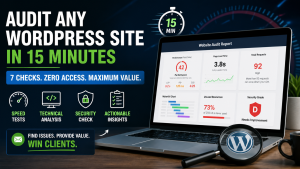
7-Step WordPress Speed & Security Audit: Diagnose a Slow Site in 15 Minutes
Keeping WordPress fast is essential for user experience, SEO, and conversions. A slow website drives visitors away and lowers your rankings. The challenge? Most performance issues hide behind plugins, hosting, and front-end assets—and you…
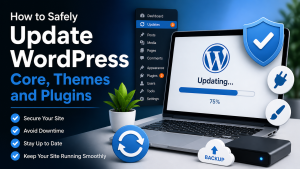
How to Safely Update WordPress Core, Themes and Plugins
Keeping WordPress core, themes and plugins up-to-date is vital for security, performance and compatibility. Outdated code can introduce vulnerabilities, slow your site or break features. A well-organized update routine protects your site…